
Jump to main content
M-Files Web User Guide
M-Files
Web User Guide
Change language/version
  • Overview
  • Finding Content
  • Adding Content
  • Managing Content
Index

Workflow state actions

Use the Actions tab of the State Properties dialog to specify what happens when an object is moved to a specific workflow state. To open the dialog, see instructions on editing states.

Click on different parts of the screenshot below for a description of the settings.
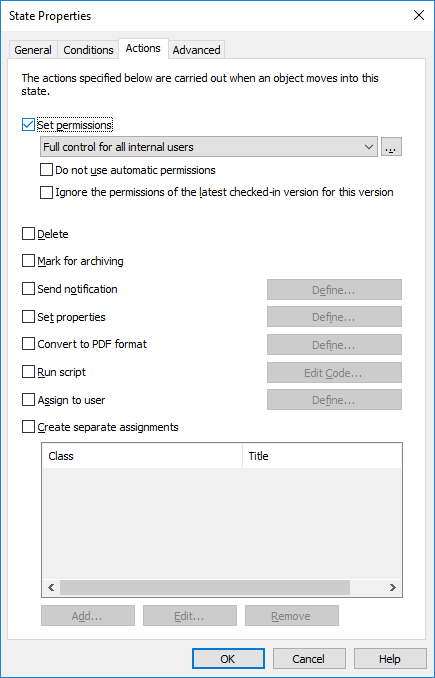
Set permissions, Delete, and Mark for archivingSend notification and Set propertiesConvert to PDF formatRun scriptAssign to userCreate separate assignments
The actions are done in this order:
  1. Mark for archiving
  2. Assign to user
  3. Create separate assignments
  4. Send notification
  5. Set properties
  6. Convert to PDF format
  7. Set permissions
  8. Run script
  9. Delete
© M-Files Corporation 2025
Last updated 12/2025
M-Files website
M-Files Customer Support Portal
M-Files Help Center
Privacy policy