

Using M-Files Ment Editor
With the M-Files Ment editor you can easily create templates and automate existing documents. The editor has many familiar features and supports an advanced experience. If you import an existing .docx document into M-Files Ment, the editor automatically recognizes the styles used in the document.
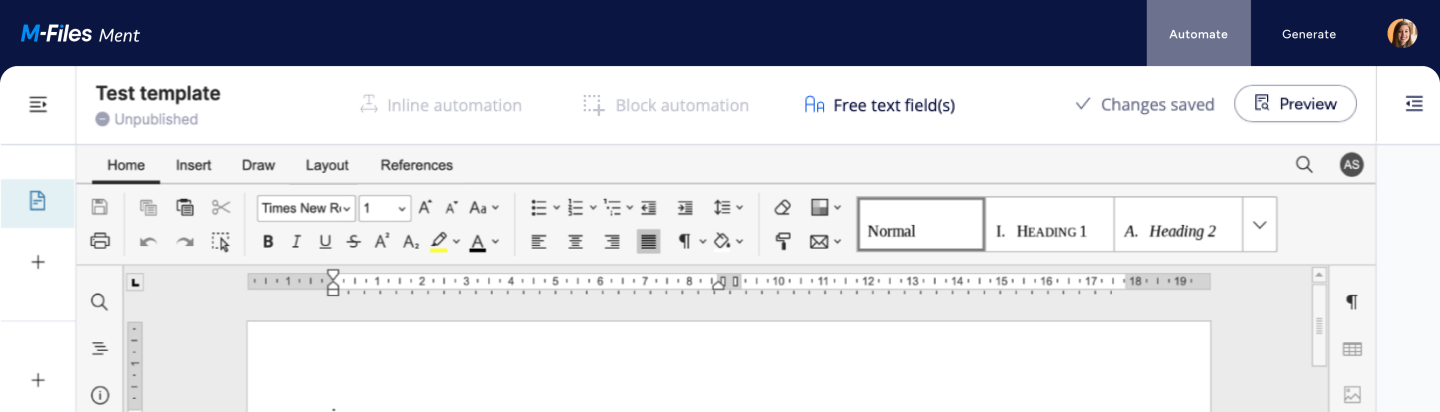
The editor has a tabbed interface, where editing commands are grouped into tabs by functionality. The Home tab opens as a default.
| Tab | Description |
|---|---|
| Home |
Format fonts and paragraphs. For example, change font types, create lists, adjust indents, change text direction, and manage styles. |
| Insert |
Add page elements, visual objects, and comments. For example, insert page breaks, tables, headers and footers, page numbers, and text boxes. |
| Draw |
Perform basic drawing operations. For example, delete freehand drawings, add handwritten notes, and highlight text. |
| Layout |
Adjust the document’s appearance. For example, set page margins, add columns, align and arrange objects, and insert watermarks. |
| References |
Manage references and links. For example, update the table of contents, add footnotes and endnotes, and insert hyperlinks. |